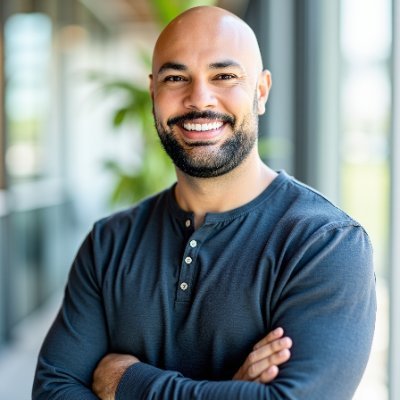
Niko
Professional AI Setup in SeattleI Set Up Your
AI Assistant
I come to your home or office, install OpenClaw on a Mac Mini, and make sure it's secure before I leave. You get an AI that actually does things - handles email, manages your calendar, automates the boring stuff.
OpenClaw has been featured in
What People Say After Setup
Real results from real installations.
“I used to spend my first hour each day just getting to inbox zero. Now I wake up and it's already done.”
Marketing Director
Tech Company
“The setup took 20 minutes. That night, it reorganized my entire Google Drive while I slept.”
Solo Founder
SaaS Startup
“Having someone who actually knows the security side was worth every penny. I tried DIY first - disaster.”
Engineering Manager
Remote Team Lead
“My assistant now handles scheduling, responds to routine emails, and monitors my Slack. Game changer.”
Consultant
Independent
Not Another Chatbot
OpenClaw is an AI that runs on your hardware and actually takes action. It's not a chat window you ask questions to - it's an autonomous agent that works in the background, 24/7.
- Runs locally - nothing leaves your machine
- Connects to Telegram, Discord, Slack, email, calendar, and 50+ more
- Remembers context across conversations (unlike ChatGPT)
- Learns your preferences and builds custom workflows
A dedicated machine,
always on, always working
The DIY Trap
OpenClaw is open source. Anyone can install it. But "installed" and "installed correctly" are very different things. Most self-setups have security gaps that aren't obvious until something goes wrong.
of third-party plugins have at least one security vulnerability
cause of compromise: misconfigured network settings
security incidents from professionally hardened installs
What Professional Setup Gets You
I follow the official security hardening guide, run penetration tests, lock down file permissions, configure encryption, and verify the setup passes security audits before I leave. The stuff that takes hours to learn and minutes to mess up.
Pricing
One-time payment. No subscriptions. No hidden fees.
You already have a Mac or server. I handle the rest.
Set up on your existing hardware with full security hardening.
Book a CallI bring everything. You plug it in.
Includes new Mac mini (M2), pre-configured and delivered to your Seattle location.
Book a CallFor when you want hands-off maintenance. Up to three hours a month.
Updates, troubleshooting, new integrations. Cancel anytime.
Book a CalliMessage requires a Mac. After booking, I'll reach out within 24 hours to schedule.
Your Data Stays Yours
I set it up, lock it down, and walk away. What happens on your machine stays on your machine.
100% Local
OpenClaw runs entirely on your hardware. No cloud sync, no external servers, no data leaving your network.
Locked Down
Strict file permissions, disk encryption, firewall rules, authentication tokens. The things most tutorials skip.
Access Control
Only you can message your assistant. No open DMs, no unauthorized access, pairing required.
Audited Plugins
Only official, reviewed skills get installed. No random GitHub repos, no unvetted code.
No Backdoors
I don't install remote access, monitoring, or anything that phones home. The machine is entirely yours.
Clean Credentials
API keys go in environment variables, not config files. I'll walk you through rotating any shared passwords after.
The Process
Quick Call
15 minutes to understand what you need and answer questions. No pressure.
Setup Day
I show up (or join a call for remote), install everything, and don't leave until it works.
You're Live
Your AI is running. I show you the basics, and you have support if anything comes up.
Seattle Area
In-person setup available throughout greater Seattle. Remote setup works anywhere.
Outside Seattle? Remote setup is available - I configure OpenClaw on your server over video call.
Questions
Let's Talk
Book a free 15-minute call. We'll figure out if OpenClaw makes sense for you and answer any questions. No sales pitch.
Book a CallSeattle area · In-person or remote